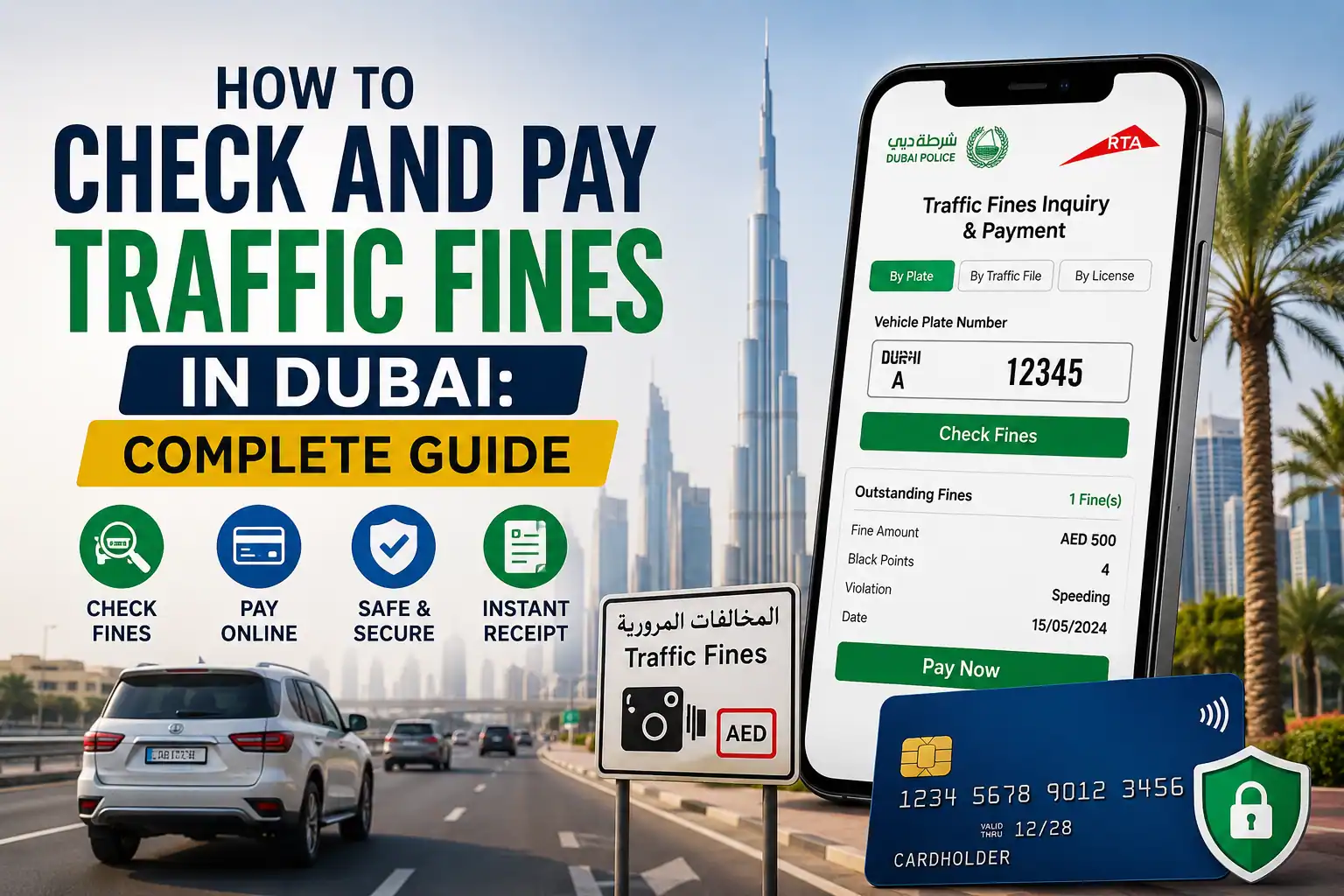
Getting a traffic fine in Dubai is never a pleasant surprise. Sometimes you know exactly why it happened; other times, a camera catches a violation and the fine appears later. Either way, the good news is that you don’t need to visit a police station just to find out what you owe.
You can check Dubai traffic fines online through official digital services, review the violation details, and pay eligible fines from your phone or computer.
In this guide, I’ll walk you through the easiest ways to perform a Dubai fine check, how to use Dubai Police and RTA services, what information you need, how to pay online, and what to do if you think a fine was issued incorrectly.
I’ll also clear up a common confusion: a Dubai traffic fine is different from fines issued in Abu Dhabi, Sharjah, Ajman, or immigration-related fines. Knowing which authority issued the fine can save you a lot of time.
The Quick Answer
Want to check a Dubai traffic fine without wasting time? Here are the quickest options and the information you need before making a payment.
- Fastest option: Open the Dubai Police website or app and run a dubai police fine check using your plate number, driving licence, Traffic File (T.C.) number, or Emirates ID.
- Alternative: Use the RTA portal for rta fines dubai. It can show Salik, parking, and RTA-issued violations, along with relevant Dubai traffic records.
- What you’ll need: Just one identifier — plate number, licence number, T.C. number, or your Emirates ID for an emirates id fine check.
- Result: You’ll see details such as the violation date, location, fine amount, black points, and payment status. If the fine is payable online, you can proceed with payment from the same service.
Check Your Dubai Traffic Fines
Ready to check your fines? Visit the official Dubai Police website to search for traffic violations and make your payment online.
Check Dubai Fines →This tool simply redirects you to the official government portal. We never collect, store, or process your Emirates ID, licence, or plate number — you’ll enter your details directly on the official site.
Why You Might Not Even Know You Have a Fine
Dubai’s road network is one of the most heavily monitored in the world. Radar cameras, red-light cameras, average-speed cameras between fixed points, and roaming patrol units mean a huge share of violations are captured automatically, with nobody stopping you at the scene. Camera-issued fines typically show up in the system within a day or two, while fines issued by an officer on the spot can take a little longer to appear. That gap is exactly why it pays to make checking fines a habit rather than something you only think about right before renewing your registration or heading to the airport.
5 Official Ways to Check Traffic Fines in Dubai
1. Dubai Police Website and App
This is the go-to channel for most residents, and it’s arguably the fastest dubai police fine check you can do.
Here’s how it works:
Go to dubaipolice.gov.ae or open the Dubai Police app.
- Navigate to Services → Traffic Services → Fines Inquiry and Payment.
- Choose your search method: plate number, driving licence number, Traffic File number, or Emirates ID.
- Enter your details and complete the CAPTCHA.
- Review the full list — violation type, date, location, amount, and black points.
- Select the fines you want to clear and pay directly by card.
If you sign in with UAE Pass, you unlock a fuller view — including your complete violation history rather than just what’s currently outstanding — plus faster in-app dubai police fine payment with saved card details.
2. RTA Website and RTA Dubai App
The RTA portal is particularly handy because it doesn’t only show Dubai Police fines, it also surfaces RTA-issued violations like Salik toll infractions and certain parking penalties, all pulled into the same file.
Because RTA and Dubai Police systems are linked, running an rta fines dubai search and a Dubai Police search will often return overlapping results — but it’s still worth checking both if you want the complete picture, especially for parking or toll-related penalties.
3. DubaiNow App
DubaiNow is the emirate’s all-in-one government services app, and it’s genuinely convenient if you’d rather not juggle multiple logins. Sign in with UAE Pass, head to Traffic Services, and search by plate number, licence, or Emirates ID. It essentially mirrors the Dubai Police and RTA data in one unified screen, which makes it a solid choice if you’re already using the app for other things like bill payments or parking.
4. Ministry of Interior (MOI) App and Portal
If you’ve driven across more than one emirate say, a work trip that took you through Sharjah or Abu Dhabi — the MOI app is worth bookmarking. It’s a federal-level portal, so it pulls fines from across the UAE rather than just Dubai. Log in with UAE Pass, go to E-Services → Traffic and Licensing → Payment of Traffic Fines, and enter your plate or licence details. This is the single most useful tool if you’re not sure which emirate actually issued a fine.
5. Self-Service Kiosks and Smart Police Stations
Not everyone wants to do this on a screen at home, and that’s fair. Dubai has dozens of self-service kiosks scattered across malls, metro stations, and RTA offices, plus 24/7 Smart Police Stations at locations like City Walk, Al Barsha, and Silicon Oasis. Just walk up, select Fines Inquiry, enter your vehicle or licence details, and pay on the spot using cash, card, or Apple Pay.
What You’ll Need Before You Start
Whichever channel you pick, keep one of these on hand:
A quick note on the Emirates ID option a lot of people assume the fine gets “attached” to the physical card itself, but that’s not really how it works. Your Emirates ID number is simply a search key that points the system to your personal traffic file, so any fine linked to you (not just one specific car) will surface. That’s what makes an emirates id fine check so useful if you’ve driven more than one vehicle, or rented a car under your own name at some point. You can also track your Emirates ID status with our guide.
Traffic Fines for Rental Cars: What Tourists Should Know
Here’s something that catches a lot of visitors off guard: as a tourist, you generally can’t settle a fine directly. Rental companies are legally responsible for the vehicle, so any violation recorded during your rental period is billed to them first. The usual process is that the company deducts the fine, plus an administrative or “knowledge” fee, often somewhere in the 10–15% range, straight from your security deposit. Since camera fines can take a couple of weeks to fully process, many companies hold your deposit for up to a month after you return the car, just to make sure nothing else lands on the file.
If you’re comparing rental companies, it’s worth asking upfront how they handle this, some now offer no-deposit rental terms specifically to avoid this waiting period, which can be a real relief if you’re not planning to speed but don’t love the idea of your money sitting locked up for weeks either way.
Dubai Traffic Fines List: Common Violations and Black Points
Fines vary quite a bit depending on severity, and several also carry black points — accumulate 24 of these within a year and your licence gets suspended.
Dubai Traffic Fines, Black Points & Vehicle Confiscation
Here’s a realistic snapshot of common violations:
| Violation | Fine (AED) | Black Points | Vehicle Confiscation |
|---|---|---|---|
| Speeding up to 20 km/h over limit | 300 | 0 | — |
| Speeding 21–30 km/h over limit | 600 | 0 | — |
| Speeding 31–40 km/h over limit | 700 | 0 | — |
| Speeding 41–60 km/h over limit | 1,000–1,500 | 6 | 15 days |
| Speeding over 60 km/h over limit | 2,000–3,000 | 12–23 | 30–60 days |
| Jumping a red light | 1,000 | 12 | 30 days |
| Using a phone while driving | 800 | 4 | — |
| Not wearing a seatbelt | 400 | 4 | — |
| Driving without insurance | 500 | 4 | 7 days |
| Reckless or dangerous driving | 2,000 | 23 | 60 days |
| Illegal parking | 500 | 0 | — |
| Not yielding to pedestrians | 500 | 6 | — |
| Driving under the influence | Court decision | 23 | 60 days |
| Street racing | Up to 100,000 | — | Possible criminal charges |
How to Pay Traffic Fines in Dubai
Once you’ve found your fines, paying them is refreshingly simple:
0% Installment Plans for Larger Fines
If a fine (or a stack of them) is putting real pressure on your budget, several UAE banks — including First Abu Dhabi Bank, ADIB, Mashreq, and RAK Bank — offer 0% interest installment plans, typically over 3, 6, 9, or 12 months, sometimes longer for bigger amounts subject to approval. You can usually set this up through the Dubai Police app, the official website, or by visiting a branch directly.
How to Dispute a Fine You Think Is Wrong
Wrong plate captured, a camera glitch, or you genuinely weren’t the one driving?
You’re allowed to object, and it doesn’t cost anything to file:
Be honest with your evidence. Disputes filed without real supporting proof tend to get rejected, and repeated weak claims can slow down future requests too.
Are There Discounts on Dubai Traffic Fines?
Yes, and they’re worth knowing about:
One honest warning: if you see a third-party site or agent promising discounts far above the official rate, or “guaranteed” fine cancellations, walk away. Stick to Dubai Police, RTA, and MOI channels only.
Checking Fines in Other Emirates
Dubai isn’t the only place with cameras, and if you drive across the UAE regularly, it helps to know where to look for each emirate.
Sharjah
Sharjah traffic fines are checked through the SRTA (Sharjah Roads and Transport Authority) portal, the Sharjah police website, or the federal MOI app. You can search by plate number, licence, or fine number. One thing worth knowing if you drive here often: Sharjah applies a wider speed buffer than some other emirates, so it’s not identical to Dubai’s rules — always check the posted limits carefully. For a direct sharjah police traffic fine enquiry, the SRTA e-forms portal lets you search by plate data, licence info, or fine number, and even attach documents if you’re filing an objection.
Abu Dhabi
For an abu dhabi fine check, head to the Abu Dhabi Police e-Services portal or the TAMM government platform. Log in with UAE Pass, go to Pay Traffic Fines, and search by plate or fine number. Abu Dhabi Police’s system also covers violations across other emirates, so it’s a useful secondary check if you’re not sure exactly where a fine originated.
Ajman and the Northern Emirates
Wondering how to check Ajman traffic fines? The most reliable route is the MOI UAE app or website — search under Traffic and Licensing → Payment of Traffic Fines, log in with UAE Pass, and enter your plate or licence number. Ajman occasionally runs its own limited-time discount campaigns too, so it’s worth checking official Ajman Police announcements if you have older outstanding fines sitting on your file. Ras Al Khaimah, Fujairah, and Umm Al Quwain fines can generally be checked the same way through the same MOI portal.
Can You Leave the UAE With Unpaid Fines?
This is one of the most common worries, and the honest answer is: it depends. There’s no fixed “magic number” that automatically triggers a travel ban. Most ordinary traffic fines are civil in nature and won’t stop you at the airport. Travel bans tend to come into play when a fine is escalated to criminal proceedings, or when a court judgment has been issued over unpaid debts — this is more commonly seen in Abu Dhabi and Sharjah for various types of financial disputes, but it can apply in Dubai too for serious violations. Once everything is settled and the court or prosecution confirms payment, any ban is lifted. The safest habit is simply this: run a quick fine check a few days before you fly, just so there are no surprises at immigration.
While You’re At It: Other Official UAE Checks Worth Bookmarking
Since we’re on the topic of staying on top of your paperwork, a couple of related government checks are worth knowing about too, even though they’re separate systems from traffic fines:
Neither of these has anything to do with traffic violations directly, but if you’re already in “sort out my UAE paperwork” mode, they’re worth having bookmarked alongside your fine-check pages. For everyday UAE balance checks, we also cover checking your Salik balance, checking your Nol card balance, and checking your DEWA bill online.
Tips to Stay Fine-Free
Frequently Asked Questions
Can I check fines without an Emirates ID?
Yes, plate number, licence number, or Traffic File number all work for a basic dubai fine check. Full account access and saved payment details usually require UAE Pass verification.
How long does it take for a fine to show up?
Camera-issued fines typically appear within a day or two. Officer-issued fines can take a bit longer. For rental cars, it may take a couple of weeks for the rental company to receive final notifications.
What happens if I leave Dubai without paying?
Most fines stay in the system as an outstanding balance rather than triggering an automatic ban, but serious or court-referred violations can lead to travel restrictions. It’s always safer to clear fines before departure.
Can I pay someone else’s fine?
Yes, you don’t need to be the vehicle owner. If you have the plate number or Traffic File number, you can settle it on their behalf.
How do black points get removed?
They expire automatically after a year if you avoid new violations, and you can also shave off a few through the White Points program on designated safe-driving days.