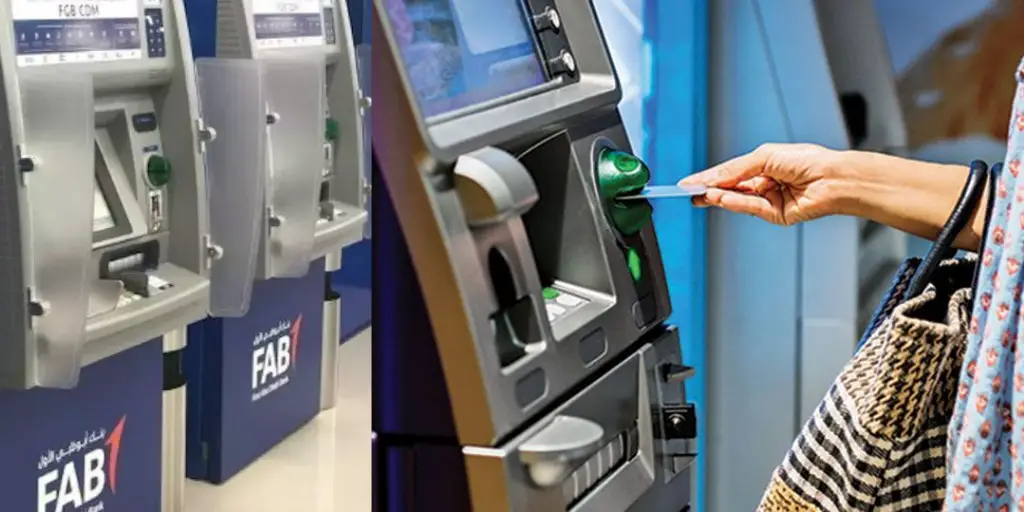
Have you ever been in a situation where you urgently needed cash but didn’t know where the nearest ATM was located? Well, if you are living or working in the UAE, searching for fab bank atm near me is one of the most common banking queries. Whether you want to withdraw salary, check your balance, or print a mini statement, finding a nearby fab atm quickly can save you a lot of time. With thousands of ATM locations across the UAE, FAB continues to provide convenient and reliable banking access to all its customers.
Why People Search for FAB Bank ATM Near Me:
The good news is that First Abu Dhabi Bank (FAB) has one of the largest ATM networks in the UAE. From shopping malls to metro stations and business districts, you will find a fab near me location almost everywhere. So, sit back and relax as we walk you through the easiest ways to find your nearby ATM instantly.
Before we dive into the methods, let’s quickly understand why so many people look for a fab bank atm near me. Most customers need quick ATM access for cash withdrawals, salary access, balance inquiries, card services, and mini statement printing.
FAB ATM Near Me
ATM Branch LocatorPeeking into several methods to find FAB atm in the UAE:
There are several methods that are explained in detail, helping you find the most convenient fab atm in the the emirates. They are stated as:
If your goal is just to know your account balance, you don’t need an ATM—simply Use FAB Balance Check Service from your mobile.
Method 1: Find FAB Near Me Using the Official Website
One of the easiest ways to locate a fab bank atm near me is through the official FAB website. For it, you need to follow these steps:
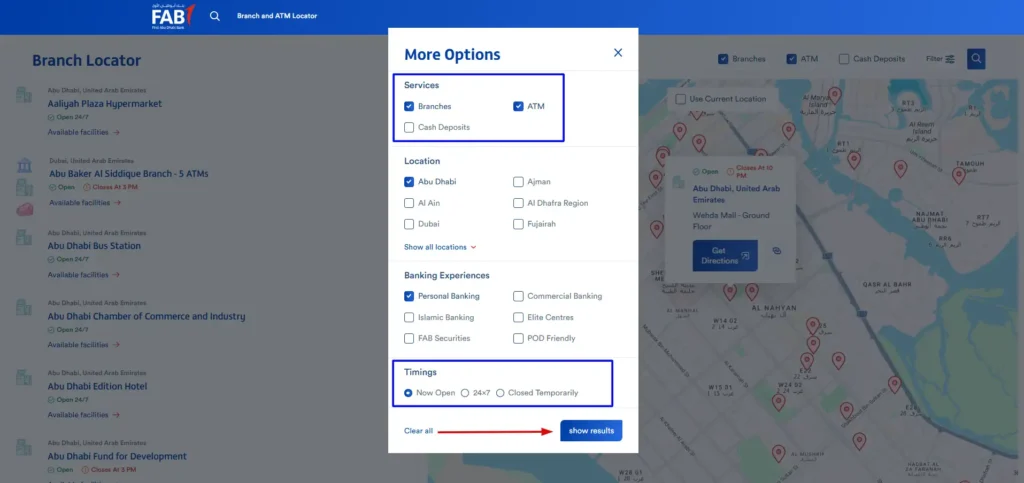
Within seconds, the locator will show the closest nearby fab atm along with directions. This method works perfectly for users searching fab near me from their laptop or mobile browser.
If you want to review your recent transactions before withdrawing cash, you can easily access your FAB Bank Statement Online for complete details.
Method 2: Use the FAB Mobile App to Locate Nearby ATM
Do you know that the FAB mobile banking app also helps you find ATMs nearby? Well, the mobile app makes it extremely easy to search for a fab bank atm near me while you are traveling or commuting.
The steps to use the app are as follows:
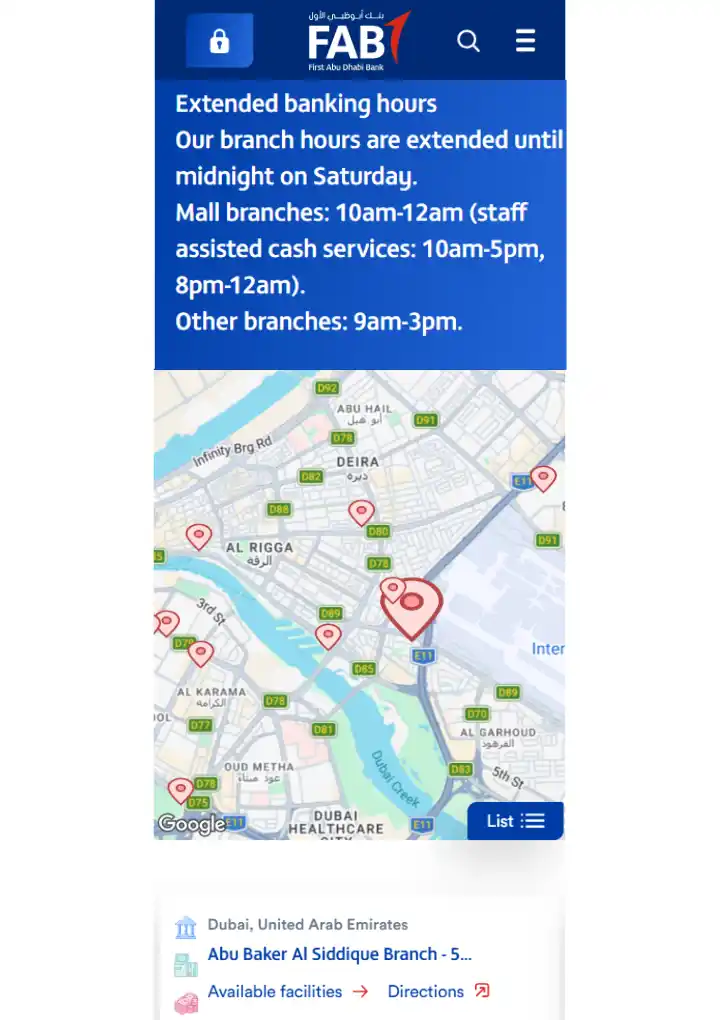
Many users prefer this method because it shows real-time locations and navigation options.
User InsightMethod 3: Find FAB ATM Using Google Maps
Here’s something simple but extremely powerful. You can easily search fab bank atm near me directly through Google Maps.
Take a look at how to do it:
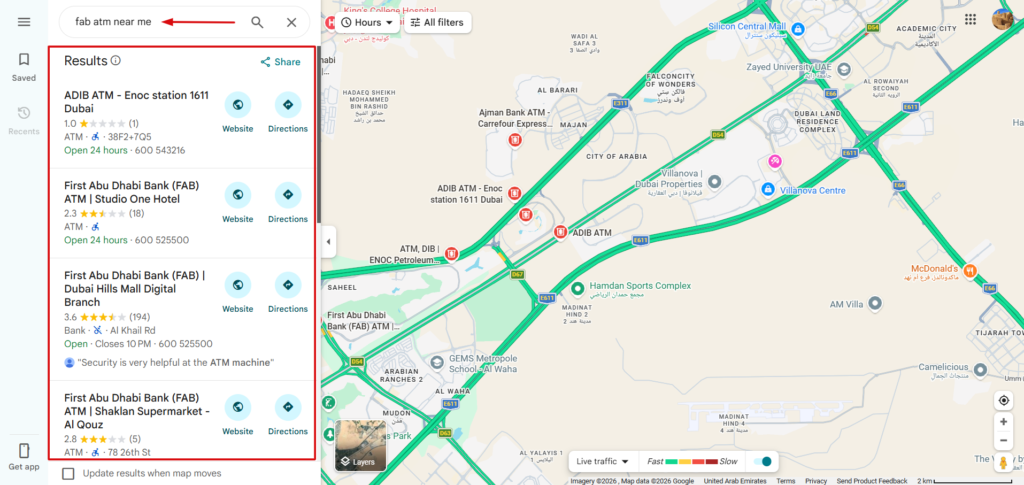
This is one of the fastest ways to locate a nearby fab atm when you are outside.
To save time, you can confirm your account details through FAB Login and directly proceed to the closest ATM without any confusion.
Method 4: Ask FAB Customer Support
Sometimes you may need assistance finding a specific ATM location. In such cases, contacting FAB customer care can help you locate the nearest fab bank atm near me. For your ease, check out the following steps because customer support representatives can guide you to the closest ATM available:
For help finding an ATM, call FAB customer care at 600 52 5500.

A Look At The Services Available at FAB ATMs In The UAE And Why They Are The Best
FAB ATMs are not just for withdrawing cash. Many users are surprised to discover the wide range of services available at these machines. The major ATM services include cash withdrawals, balance inquiries, mini statement printing, PIN change services, card activation, and deposit services on some machines. So whenever you search fab near me, you are actually accessing a full self-service banking station.
You need to know why fab has one of the best atm networks in the UAE. It’s mainly because FAB has strategically placed ATMs across shopping malls, airports, metro stations, business districts, and residential communities. This ensures customers always have access to a nearby fab atm whenever they need cash or banking services.
If you’re using a prepaid card for daily transactions, it’s important to check your FAB Prepaid Cards Enquiry before visiting an ATM to avoid any balance issues.
FAB ATM or Cash Deposit Machine: Which One Do You Need?
Use a FAB ATM when you need to withdraw cash, check your balance, or use card services. Use a cash deposit machine when you need to deposit cash into an account. Not every FAB ATM accepts cash deposits, so check the label on the machine before you start. You can use the FAB ATM Branch Locator on this page to find a machine that takes deposits.
ATM Safety Tips for FAB ATM Users
When you use an ATM, choose a busy and well lit place when you can. Cover the keypad with your other hand when you enter your PIN. Never share your PIN or any code with anyone. Always take your card and your receipt after the transaction. If anything on the machine looks unusual or damaged, do not use it, and contact FAB customer care at 600 52 5500.
What to Do If a FAB ATM Keeps Your Card or Does Not Give Cash
If an ATM keeps your card or does not give you the cash, stay calm and note the location of the ATM and the time it happened. Check your balance through the FAB Mobile App or the FAB Balance Check service on this site to see if the amount was taken. Then call FAB customer care at 600 52 5500 and tell them what happened. Never share your PIN or any code with anyone who contacts you about it.
Please note that this guide is an independent guide. It is not FAB, and it is not an official FAB service.
Conclusion
To conclude, it can be said that locating a fab bank atm near me in the UAE is easier than ever. Thanks to digital tools such as the FAB website, mobile app, Google Maps, and customer support, finding a nearby fab atm takes only a few seconds. Whether you need quick cash, want to check your account balance, or print a mini statement, searching fab near me ensures you can access banking services instantly.
FAQs
What is the difference between a FAB ATM and a cash deposit machine?
A FAB ATM is mainly for cash withdrawals, balance checks, and card services. A cash deposit machine is made for depositing cash into an account. Not every FAB ATM accepts cash deposits, so check the label on the machine before you use it.
What should I do if a FAB ATM keeps my card?
Stay calm and note the location of the ATM and the time it happened. Then call FAB customer care at 600 52 5500 and tell them what happened. Never share your PIN or any code with anyone.
How can I stay safe when I use a FAB ATM?
Use a busy and well lit place when you can, cover the keypad when you enter your PIN, and never share your PIN or any code. Always take your card and your receipt. If anything on the machine looks unusual, do not use it, and contact FAB customer care at 600 52 5500.