Managing monthly utilities in the United Arab Emirates is now easier. Residents can view their usage through a modern digital portal.
This step-by-step dewa online bill guide helps every homeowner or tenant.
Need to view your balance or pay? A Dubai utility bill online saves time. Use the official DEWA bill online platform to control household costs anywhere.
Explore ways to check your account and pay on time.
Key Takeaways
- Access your account dashboard using your unique premise number.
- Monitor monthly consumption patterns to save energy effectively.
- Download official statements for personal records or visa requirements.
- Use secure payment gateways for instant transaction processing.
- Enable paperless billing options for a more sustainable lifestyle.
What You Need Before Checking Your DEWA Bill Online
Prepare a few key details before you manage your utility payments. Knowing how to check dewa bill online in dubai saves time and helps avoid stress.
Keep Your DEWA Account Number or Premise Number Available
Your DEWA account number is the main ID for your utility profile. Find this unique digit sequence on any past paper or digital statement.
New tenants need the DEWA premise number to link their property to their profile.
Prepare a Verified UAE Mobile Number and Email Address
Use the dubai electricity and water authority bill online portal with a registered contact method. The system sends one-time passwords (OTP) to your verified UAE mobile number for security.
Keep your email updated to receive important notifications and payment receipts promptly.
Use the Official DEWA Website or Smart Services App
Use the official DEWA website or Smart Services app for transactions. These platforms provide a secure place to handle your personal and financial information.
Avoid third-party websites that offer utility services to protect your privacy.
How to Recognize Official Dubai Electricity and Water Authority Services
Official services always feature authentic DEWA branding and secure URL structures. Check for the “dewa.gov.ae” domain in your browser address bar.
Genuine platforms will never ask for your password via email or unsolicited text messages.
Browser, Device, and Internet Requirements for Secure Access
For best performance, use a modern browser like Chrome, Safari, or Edge. Ensure your device has a stable internet connection to prevent payment interruptions.
Keeping software updated helps maintain strong security for your account.
| Requirement | Purpose | Importance |
|---|---|---|
| Account/Premise Number | Account Identification | High |
| Verified Mobile Number | Security Verification | Critical |
| Official App/Website | Data Protection | Critical |
| Stable Internet | Transaction Stability | Medium |
How to Check DEWA Bill Online in Dubai: Step-by-Step Guide
You can view your utility charges in a few easy steps on the official portal. Online DEWA bill checking helps you manage home costs with confidence.
Step: Open the DEWA Dubai Login Portal
Start by opening the official dewa dubai login portal in your web browser. Use the official website to keep your personal data safe.
Step: Sign In to Your Online DEWA Account
Enter your registered username and password to open your dashboard. If you use two-factor authentication, enter the code sent to your registered mobile number.
Step: Select the Relevant Electricity and Water Account
After you log in, your dashboard shows your active utility accounts. Carefully select the account number you want to review if you manage multiple properties.
Step: Open the Current Bill and Billing Details
After choosing an account, open the billing section to view your current DEWA bill. This page shows your recent use and financial status.
Where to Find the Billing Period, Due Date, and Total Amount
The main dashboard shows the total amount due for the current cycle. It also shows the billing period and due date at the statement’s top.
How to Confirm That the Bill Belongs to the Correct Premise
Check the premise number or address to confirm you have the right property. This dewa bill online dubai check prevents confusion and sends payments to the right account.
How to Register for an Online DEWA Account
If you are new to the city, an online DEWA account helps you manage utilities. It gives you 24/7 access to billing history and payment options worldwide.
Step: Start the DEWA Account Registration Process
Visit the official DEWA website or download the smart app to begin. Find the registration link on the homepage to start the dewa account registration process.
Step: Enter Your Account, Emirates ID, or Contact Details
You need specific information to link your property to your profile. Have these items ready:
- Your unique DEWA account number.
- A valid Emirates ID for identity verification.
- Your current mobile number and active email address.
Step: Verify Your Mobile Number and Email Address
During DEWA registration, security is a top priority. The system will send a One-Time Password (OTP) to your registered mobile number.
Enter this code on the screen to confirm your identity and activate your profile.
Step: Create Secure Login Credentials
After verification, you will set up your username and password. A secure DEWA login helps protect your personal data and utility information.
How to Choose a Strong DEWA Password
A strong password is your first line of defense. Follow these best practices to keep your account safe:
- Use a mix of uppercase and lowercase letters.
- Include at least one number and a special character.
- Avoid using easily guessable information like your birth date or name.
What to Do After Completing Registration
Once your account is active, explore the dashboard. Check that your property details appear correctly.
Update your notification preferences and keep your contact information current. This helps you get alerts about monthly statements and payment due dates.
How to Read DEWA Electricity and Water Charges
Learn to read your statement to understand your monthly utility costs. A complete DEWA bill breakdown shows where your money goes each month.
Identify Electricity Consumption and Tariff Charges
Your statement shows electricity use in kilowatt-hours (kWh). DEWA electricity charges use tiered rates, so prices rise with higher use.
Monitoring these tiers helps keep your costs manageable.
Review Water Consumption and Related Fees
Water use is measured in imperial gallons. Like electricity, DEWA water charges depend on total water use.
You will also see service fees for water delivery and site maintenance.
Check Housing, Sewerage, Municipality, and Other Charges
Besides basic utilities, your bill lists required fees for city infrastructure:
- Housing Fee: Usually calculated as a percentage of your annual rent.
- Sewerage Charge: A fixed fee based on your water consumption.
- Municipality Fees: Charges for various public services provided in Dubai.
Understand VAT, Adjustments, Credits, and Previous Balances
The final total may include Value Added Tax (VAT) on some services. You may also see adjustments or credits for billing errors or deposit refunds.
Check the previous balance to confirm your last payment went through.
How Current Meter Readings Affect the DEWA Bill
Your bill uses the difference between current and previous meter readings. A usage spike raises the DEWA bill breakdown to a higher tier and total cost.
How Estimated Readings and Billing Corrections Appear
The provider may use an estimated reading when workers cannot reach your meter. Your bill will show an “estimated” status.
After an actual reading, needed corrections appear as an adjustment on your next statement.
How to Compare the Current Bill With Earlier Statements
Regular dewa electricity bill online checking helps track use over time. Compare current bills with past months.
This can reveal spikes in DEWA electricity charges or DEWA water charges. This proactive step helps find leaks or inefficient appliances before high costs.
How to Download or View a DEWA Bill Statement
Track your monthly utility costs to manage your household budget. The DEWA bill verification process keeps your records accurate and current.
Step: Open the Bill History or Statement Section
Once logged in, open the main dashboard and find the “Bill History” or “View Statements.” This section holds your past and current billing data.
Step: Select the Required Billing Month
In the history section, you will see past invoices. Click your chosen month to view the DEWA bill history for that period.
Step: View the Complete DEWA Statement Online
The system shows your invoice in the browser. Review consumption, tariff charges, and taxes in this clear DEWA bill statement.
Step: Download or Save the Statement as a PDF
For a paper copy or backup, find the download icon. You can download DEWA bill PDF files to your computer or mobile device offline.
What Information a Downloaded DEWA Statement Includes
Your statement shows your account number, premise number, and total amount due. It clearly lists electricity and water units, municipal charges, and previous balance adjustments.
How to Print or Share a Statement Securely
When printing, use a secure, private printer to protect your personal data. For tenancy or banking, use encrypted email, and Never share your account credentials with your billing documents.
How Long to Keep DEWA Statements for Personal Records
Keep statements for at least two years for rental renewals or proof of residence. A consistent DEWA bill history helps spot use trends over time.
“Organization is the key to financial peace of mind. Keeping digital records of your essential services allows you to manage your household expenses with confidence and clarity.”
| Record Type | Accessibility | Security Level |
|---|---|---|
| Digital PDF | High | Encrypted |
| Printed Copy | Medium | Physical |
| Cloud Backup | Very High | Password Protected |
How to Pay a DEWA Bill Online in Dubai
After reviewing your consumption, settle your balance promptly.
Timely utility payments keep service on and help avoid late fees. A clear plan makes DEWA bill payment Dubai quick and stress-free.
Step: Confirm the Amount and Payment Due Date
Before paying, check the total amount due on your account. Check the due date on your latest statement.
Step: Choose a DEWA Online Bill Payment Method
Several convenient dewa water bill payment methods are available to residents. Choose the option that fits your banking needs.
Paying Through the DEWA Website or Smart Services App
The official portal is the most direct way to pay DEWA online.
Log in to access a secure gateway linked to your billing profile. This method is fast and reliable.
Using a UAE Bank Card or Other Available Digital Payment Option
If you prefer not to log in, use the website’s “Quick Pay” feature. It lets you pay through several digital channels:
- Credit or Debit cards issued by UAE banks.
- Apple Pay or Google Pay for mobile users.
- Direct bank transfers through integrated payment gateways.
Step: Complete Payment Authentication
Security matters during the dewa online bill payment process. You may need two-factor authentication, such as an OTP.
The OTP goes to your registered mobile number. This protection keeps your financial data safe.
Step: Save the Payment Confirmation and Receipt
After a successful payment, the system creates a digital receipt. It is essential to save it as a PDF.
You can also take a screenshot for your records. This proof helps if problems arise later.
How to Verify That the Payment Was Applied to the Correct Account
Wait a few minutes, then refresh your account dashboard. The updated balance should appear in your profile.
If it does not, use your transaction reference number. Check the DEWA bill payment Dubai history to confirm the correct account.
How to Check DEWA Bill Status and Payment History Online
Learn how to check DEWA bill status online to monitor your utility account activity. Updated account balances help prevent service breaks and keep household finances organized.
Find the Current Payment Status
View your latest DEWA payment status through the official portal or mobile app. Open the billing section to see the latest account balance updates.
Check Whether a Payment Is Pending, Completed, or Reversed
Learn the terms on your account dashboard. A pending DEWA payment usually means your bank or payment gateway is processing the transaction.
- Completed: The funds have been successfully received and credited to your account.
- Pending: The transaction is in progress and may take up to 24 hours to reflect.
- Reversed: The payment failed or was returned, requiring you to initiate the process again.
Review Previous Bills and Transaction Records
For budgeting or records, the portal stores your DEWA payment history in a full archive. Filter records by date to view past payments and consumption patterns.
What to Do When a Paid Bill Still Shows as Outstanding
Payments may take a short time to appear in the system. If your bill stays outstanding after 24 hours, do not panic.
Check your bank statement first to confirm the funds left your account.
How to Confirm a Successful Payment Without Paying Twice
Before paying again, check your transaction status to avoid duplicate charges:
- Check your email for a payment confirmation receipt from DEWA.
- Review the “Transaction History” tab in your online account.
- Contact the customer support team if the status remains unclear after one business day.
| Status Type | Action Required | Typical Timeframe |
|---|---|---|
| Completed | None | Instant |
| Pending | Wait | 24 Hours |
| Reversed | Retry Payment | Immediate |
Using DEWA Smart Services for Mobile Bill Management
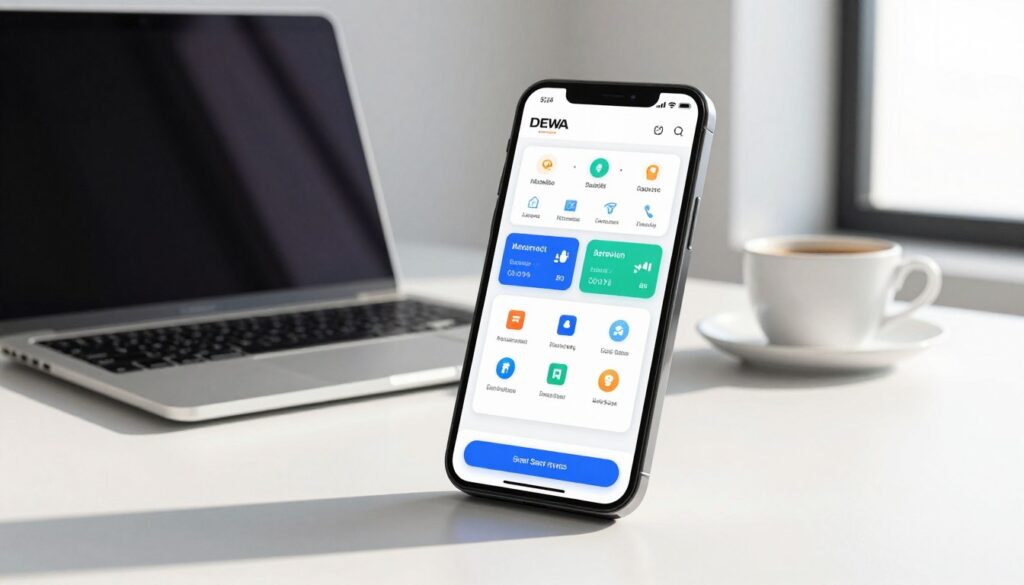
Digital tools let you manage utility needs anywhere, anytime. With dewa smart services, residents can handle home tasks with a few phone taps.
Check Bills Through the DEWA Smart Services App
The DEWA Smart Services app lets users view usage data instantly. You can track electricity and water use in real time and plan your budget.
Enable Bill Notifications and Payment Reminders
Turn on push alerts to avoid missed due dates. They show your billing cycle, support on-time payments, and help avoid service interruptions.
“Technology is best when it brings people together and simplifies the complexities of daily life.”
Manage Multiple DEWA Accounts From One Login
If you own several properties, link them to one profile. This simplifies mobile DEWA bill management by letting you switch accounts without logging in and out.
| Feature | Mobile App | Website |
|---|---|---|
| Quick Access | High | Medium |
| Detailed Reports | Medium | High |
| Portability | Excellent | Low |
When the Website Is More Convenient Than the Mobile App
The app helps with quick checks, but the full website for dewa online services suits complex tasks. Use its clearer desktop layout to download extensive historical reports or manage complex account settings.
How to Keep the DEWA App and Device Secure
Protect your smartphone with a strong passcode or biometric lock. Avoid accessing your account on public Wi-Fi networks to keep personal data safe from unauthorized access.
Fixing Common Problems With DEWA Online Bill Checking
Technical problems with your utility account can feel frustrating. Most have simple solutions.
Forgotten Username, Password, or Account Details
If you cannot sign in, use the “Forgot Password” or “Forgot Username” links.
You usually need your registered email or mobile number for a reset link.
Check that your browser is not filling old login details. If you forgot your account number, check old bills or your welcome email.
Unable to Sign In or Complete Verification
Sometimes, codes fail because of network delays or wrong contact details. Double-check that your mobile number is current.
If the page does not respond, clear your browser cache or try another browser. The official mobile app can help when the desktop site has heavy traffic.
Missing Bill, Incorrect Amount, or Unrecognized Charge
A missing bill may result from a billing delay or changed alert settings. View your statement history to check for the latest document.
For unknown charges, review your bill breakdown with care. It may show service fees, meter tests, or past adjustments not fully paid.
Payment Failure, Duplicate Payment, or Delayed Status Update
A DEWA payment failure may result from bank issues or low funds.
If you see a duplicate payment, stay calm. The system usually matches payments within a few business days.
“Patience is key when dealing with digital transactions, as banking systems often require time to sync payment statuses across different platforms.”
When to Contact DEWA Customer Service
Contact the dewa customer service contact team if payment status stays unchanged after 48 hours. Also contact them if ongoing errors block account access after troubleshooting.
Information to Provide During a DEWA Bill Inquiry
When you start dewa bill inquiry steps, keep your account details ready. Accurate details help the support team solve your issue faster.
| Issue Type | Primary Action | Expected Resolution |
|---|---|---|
| Login Error | Reset Credentials | Immediate Access |
| Payment Failure | Check Bank Status | 24-48 Hours |
| Missing Bill | View History Tab | Instant Download |
Conclusion
Managing utility costs in the United Arab Emirates is easy with the right digital tools. This DEWA online bill guide helps you track use and pay with ease.
You can manage DEWA bills online from any location. Keep your account details ready and check your premise information before logging in.
Review your statements often to spot trends in electricity and water use. Save payment receipts and digital statements for accurate household records.
Use official platforms to keep your data safe and services running without interruption. Start today to simplify your monthly routine and take full control of utility management.